LaunchLint Academy

The short answer
EAS Submit uploads a finished binary to Apple or Google. It does not complete your listing, privacy disclosures, screenshots, or review notes.
- Before building, verify identity, versions, plugins, and native permissions. Then test the exact production binary on real devices and reconcile the observed flow with App Store Connect and Play Console.
- Treat account deletion, review access, purchases, and SDK data practices as release work. A green build pipeline is not store approval.
1. What EAS Submit does — and what it leaves to you
EAS Submit automates the delivery of a finished iOS or Android build into the relevant store pipeline. For iOS, the build arrives in App Store Connect or TestFlight; for Android, it reaches the configured Play track. This removes manual upload work, but Apple and Google still review the binary together with metadata and the review context you provide.
A successful EAS Build and EAS Submit only prove that a build could be produced and transferred. They do not prove that login works for a fresh reviewer, permission explanations are specific, store disclosures are accurate, purchases can be reviewed, or privacy and support pages are reachable.
Work that still remains after upload:
- Complete the listing, category, age rating, and availability
- Compare screenshots and description with the production build
- Complete App Privacy and Data Safety
- Provide review contact, test credentials, and unusual test steps
- Make in-app purchases and subscriptions visible to review
- Submit the processed binary for review in the store console
2. Lock app identity and version values before production
Bundle identifiers and Android package names connect the binary to its store record, signing, push configuration, and often OAuth redirects. Verify them before the first production upload. Unlike a visible app name, a published package identity cannot be casually renamed later.
Keep the marketing version separate from the technical build number. Every replacement iOS binary needs a higher buildNumber; Android uses versionCode. If app.config is dynamic, inspect values resolved for the production profile rather than relying on a development configuration.
{
  "expo": {
    "name": "My Production App",
    "slug": "my-production-app",
    "version": "1.0.0",
    "ios": {
      "bundleIdentifier": "com.example.myapp",
      "buildNumber": "1"
    },
    "android": {
      "package": "com.example.myapp",
      "versionCode": 1
    }
  }
}
Questions to answer:
- Do bundle identifier and package name match the correct listings?
- Do buildNumber and versionCode increase for every binary?
- Does production use the intended API, OAuth, and deep-link domains?
- Are icon, splash, and visible app name final?
- Can you explain which values come from environment variables or app.config?
3. Explain permissions from the user flow
Expo libraries may add native permissions through config plugins or embedded Android manifests. Looking only at permissions written by your own team is not enough. Inventory packages, inspect the resulting configuration, and remove permissions the production flow does not use.
On iOS, purpose strings should explain the verifiable feature that needs the data. ‘This app needs camera access’ merely repeats the dialog. ‘Use the camera to scan the QR code on an event ticket’ tells the user and reviewer what happens. Expo notes that Info.plist changes require a new native binary and cannot be fixed with an OTA update.
{
  "expo": {
    "ios": {
      "infoPlist": {
        "NSCameraUsageDescription":
          "Use the camera to scan the QR code on an event ticket."
      }
    },
    "android": {
      "blockedPermissions": [
        "android.permission.RECORD_AUDIO"
      ]
    }
  }
}
For every sensitive permission, verify:
- The prompt appears only where the feature needs it
- Denying access produces a usable fallback
- The message names purpose and user value
- The app explains how to enable access later
- Unused native permissions are removed
4. Reconcile project files, app behavior, and store privacy answers
package.json shows which third-party libraries and services may be present, but it cannot produce a complete privacy declaration. Analytics, crash reporting, authentication, advertising, and payment services can transmit data. Configuration and app behavior determine what is sent, when, why, and to which server or provider.
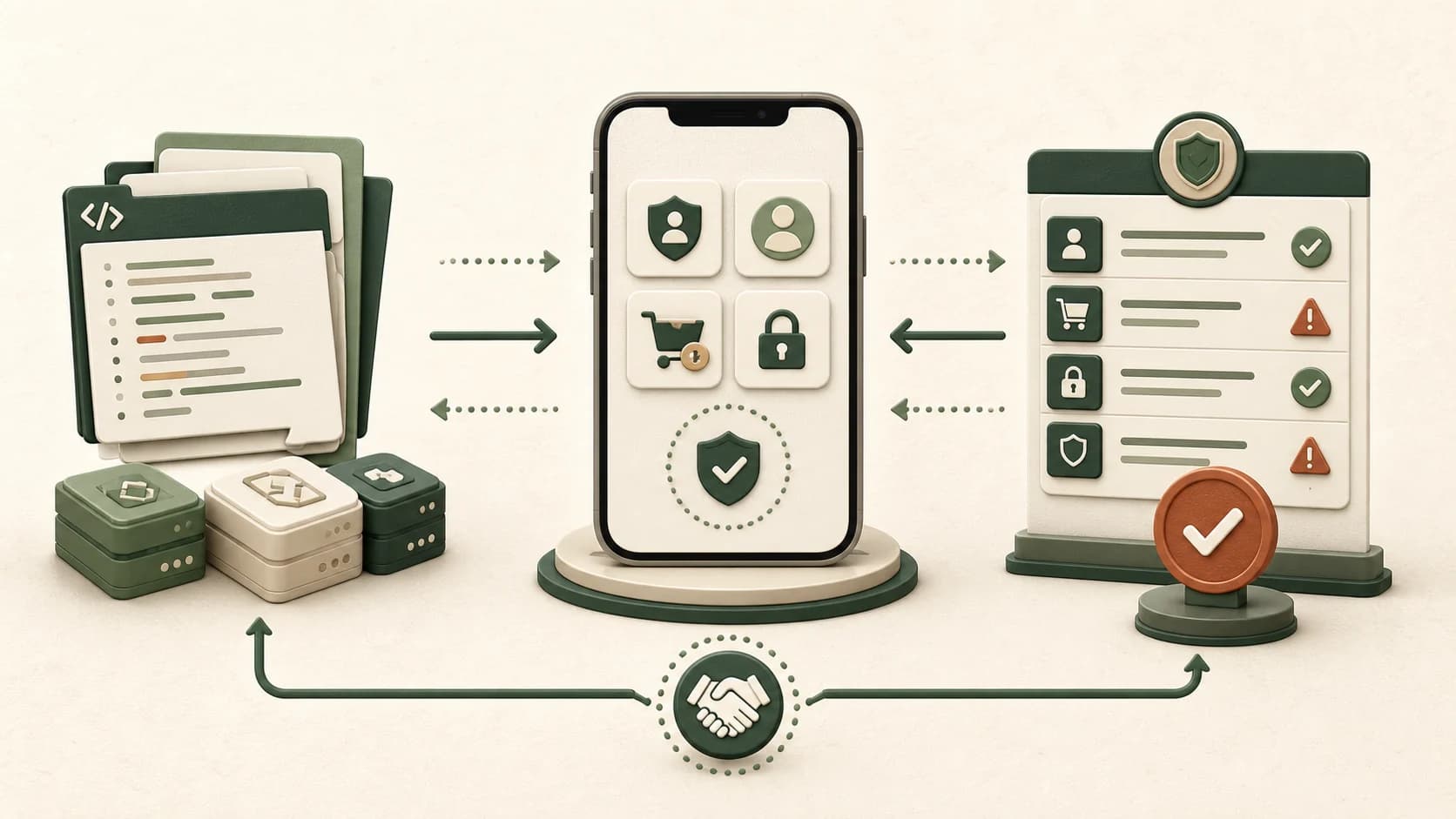
| Layer | Useful supporting details | Enough alone? |
|---|---|---|
| Project files | Third-party services, permissions, plugins, and web addresses | No — they show signals, not every data flow |
| Running app | Timing, consent, optional use, and observed transmission | No — servers and vendors still need review |
| Store console | Declared data types, purposes, sharing, and deletion | No — declarations must match the app and connected services |
Google explicitly includes user data transmitted by third-party libraries and services in Data Safety and leaves the developer responsible for complete answers. Create a small record for each service: data type, recipient, purpose, required or optional use, retention, and deletion path. Reconcile that record with your privacy policy and both store forms.
5. Test review access and account deletion like an outsider
If core features sit behind login, invitation, role, location, or subscription, reviewers need a stable path. Apple asks for an active demo account or a fully featured demo mode. Do not bind access to personal data, an employee device, or short-lived one-time codes.
A reliable review package contains:
- A dedicated test account with a reachable backend
- Short steps from launch to the protected core feature
- Details for roles, QR codes, hardware, or location requirements
- A sandbox or demo state for purchases
- A contact who can respond during review
Account deletion is a separate end-to-end flow. Apple requires apps that support account creation to initiate deletion inside the app. Google additionally requires a web resource for deletion requests. Test confirmation, re-authentication, linked data, active subscriptions, and any retention that must be explained.
6. Compare screenshots, claims, and digital purchases with the build
Store metadata is part of review. Remove claims for features that are absent, limited to internal testers, or planned for a later release. Screenshots should show the submitted flow rather than UI a reviewer cannot reach. Open support and privacy URLs on a mobile browser without an authenticated session.
Digital products must be visible, current, and functional in the review environment. If a purchase appears only under particular conditions, explain them in review notes. Test restore purchases, failed transactions, an existing subscription, and reinstall behavior. A purchase SDK dependency is not evidence that these edge cases work.
Final metadata check:
- Name, subtitle, and description match current functionality
- Screenshots show real reachable screens
- Support and privacy URLs work publicly over HTTPS
- Promoted purchases are visible to the review account
- Review notes explain exceptions without marketing copy
- No placeholder, lorem ipsum, or internal debug text remains
7. A 24-hour submission preflight
Use a brief release freeze instead of improvising between the last feature change and submission. Build from the intended commit, record the build IDs, and test that exact artifact. A later change to permissions, native configuration, or SDKs requires a new binary and a focused re-check.
Recommended order:
- Record the production commit and release configuration
- Install iOS and Android production builds on real devices
- Test first launch, login, permission denial, core flow, purchase, and deletion
- Reconcile SDK inventory with privacy policy and store forms
- Read screenshots, copy, URLs, and review notes one final time
- Validate test credentials on an unrelated device
- Upload, check processing errors, then submit for review
Keep a lightweight verification list with build ID, tested flow, expected result, actual result, and owner. If review fails, this makes it easier to separate an app-file defect from a store-details or communication problem.
8. What a static review of project files can contribute
A static review can reproducibly find app identifiers, third-party service signals, plugins, permission explanations, and signs of authentication, purchases, or tracking. A useful risk points to the exact file and explains which Apple or Google question it raises.
It cannot reliably prove external server behavior, test-account availability, every interaction in the running app, or the complete accuracy of store forms. LaunchLint deliberately never executes untrusted user code. The review focuses your manual checks; it does not replace developer responsibility or the store decision.
Common questions before an Expo submission
Is a successful EAS build enough to submit?
No. It proves that a binary was built. Review access, metadata, privacy answers, purchases, and real-device flows still require separate verification.
Can an OTA update fix an iOS permission message?
No. Info.plist changes ship in a new native binary, so plan another production build.
Should a review account contain real user data?
No. Use a dedicated demo account without personal data or expiring one-time codes and expose all reviewable core functionality.
Can LaunchLint guarantee approval?
No. LaunchLint identifies likely risks and supporting details in the project files. Apple and Google make the final decision using the running app and store details as well.